Kling AI 2.5 Turbo now on Artlist (opens in new tab)

Create Hollywood-level scenes with precise prompt accuracy, smooth lifelike motion, realistic fast-paced action, and professional-level camera control.
Create cinematic videos with Kling 2.5 Turbo right inside the Artlist AI Toolkit.
Open the AI image and video generator and select the Kling 2.5 Turbo Pro model.

Upload images as start and end frames, or write a text prompt to describe your scene.

See your new AI creation in seconds, then iterate, edit, or download instantly.

Whether you’re a filmmaker, content creator, or creative team, Kling 2.5 Turbo Pro is built to scale production without sacrificing quality.
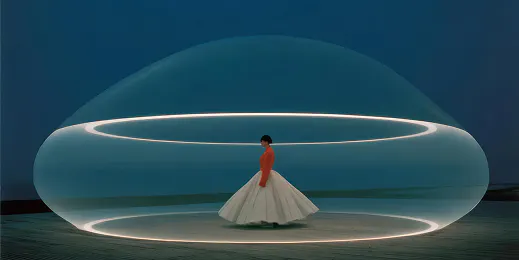
Create engaging product videos, commercials, and social content with smooth motion and consistent branding.

Use Kling 2.5 for previsualization, storyboards, teasers, and complex shots with realistic physics.

Produce scroll-stopping, high-resolution clips for Instagram, TikTok, and more, with improved motion and realism.

Capture fast-paced sports highlights with tighter camera control, dynamic tracking shots, and realistic physics.
Describe your idea with a text prompt and generate a cinematic video in seconds.

Kling 2.5 Turbo Pro’s advanced motion control, strong prompt adherence, and flexible clip timing support faster, more intentional cinematic production.
Kling 2.5 turns text prompts or single images into cinematic 1080p clips, so you can quickly move from idea to high-end motion.
Generates smoother movement, realistic physics, and refined camera transitions, responding accurately to shot language for more intentional, production-ready results.
Handles complex actions and layered descriptions with strong prompt adherence, so what you write closely matches what you see on screen.
Supports 5- and 10-second durations plus start/end frame guidance, giving you tighter control over pacing, transitions, and overall scene flow.
Dive into in-depth guides, tutorials, and creative hacks to get your best results every time.
Kling 2.5 Turbo Pro is a Kuaishou-built AI video model available in Artlist’s Video Generator. It turns text prompts or single images into cinematic 1080p clips with strong prompt adherence, smoother motion, and more intentional camera control for short, production-ready videos.
Go to Artlist AI Toolkit and select AI Image & Video generator. You can create with Text to Video or Image to Video. Select Kling 2.5 Turbo Pro as your model, set a 5- or 10-second duration, add your image or write a clear prompt, and generate.
Kling 2.5 Turbo Pro is ideal for short cinematic clips, product videos, and social media content, as well as teasers, trailers, storyboards, and previsualization. It also works well for sports highlights, stylized narrative moments, and testing visual ideas before a full production.
Yes. In addition to Kling 2.5 Turbo Pro, Artlist also offers other Kling AI models in the Video Generator, including Kling 1.6 Standard, Kling 1.6 Pro, Kling 2.1 Master, Kling 2.6 Pro, Kling 3.0 and Kling O3. You can compare these versions and switch between them using the model dropdown or by browsing the AI models hub to find the best fit for your project.
Still have questions? We're here to help.

