4 hidden tricks generating with Sora 2 (opens in new tab)

Create breathtaking videos from simple text prompts or images — the smart video model from OpenAI achieves hyper-realism, cinematic quality, with consistent characters, real-world physics, and immersive sound.
Follow these easy steps to start creating with OpenAI Sora 2 right inside the Artlist AI Toolkit.
Open the AI image and video generator and select the Sora 2 model.

Describe your idea with a text prompt or upload an image to animate.

Get your new AI creation in seconds, then add it to any project.

Here’s how Sora 2 by OpenAI supports creators across multiple industries looking for realistic, high-impact content.

Create realistic short-form videos, reels, or narrative content with lifelike motion, consistent characters, and immersive sound—all without complex production workflows.
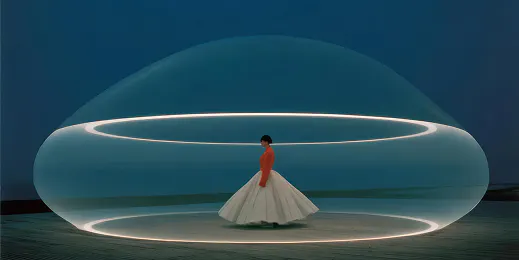
Quickly generate professional-quality video concepts, ads, and campaign visuals. Help your teams test ideas faster while reducing production time and costs.

Prototype scenes, explore story ideas, and experiment with AI-generated visuals. Prompt like a film director to achieve physically accurate motion and multi-shot consistency.
Describe your idea with a text prompt or add an image to generate a lifelike video in seconds.

Sora 2 AI combines realistic motion, cinematic control, and synchronized audio to deliver high-end video generation from images or simple prompts.
Sora 2 allows video generation from text prompts or still images, using the image as a reference point for visual style, composition, and framing.
Dialogue, sound effects, and background music are seamlessly matched to the visual rhythm and on-screen actions, including accurate lip-syncing for generated speech.
The model simulates physical interactions such as gravity, momentum, and collisions, allowing motion and object behavior to follow logical, real-world rules throughout a scene.
Sora 2 preserves character, object, and scene consistency across shots for smoother, more cohesive video sequences.
Get prompting tips, inspiration from pro AI creators, and unlock your creative potential with Sora 2.
Sora 2 is the latest Sora AI model from OpenAI, designed to generate ultra-realistic videos with sound, dialogue and lifelike motion. In Artlist's AI video generator, you can use Sora 2 to create immersive scenes with true-to-life physics and detail, giving you greater accuracy, control and cinematic depth than ever before.
Sora 2 is integrated into Artlist AI for seamless video generation. Just log in to the Artlist AI Toolkit, open the Image and Video generator, and select “Sora 2” from the model list. If you're using Text to Video, write a prompt describing your scene, style, camera moves, dialogue, SFX, and audio. If using Image to Video, upload one or more images and add a prompt to guide motion, lighting and physics. Then generate and download your creation for use in any project.
With Sora 2, you can create complete cinematic scenes powered by Sora OpenAI — including visuals, dialogue and sound. It's ideal for storytelling, trailers, short films, or social videos that demand realism and creative control. The Sora AI model lets you direct dynamic, multi-shot stories that look filmed, not generated.
Yes. In addition to Sora 2 by OpenAI, Artlist also gives you access to Sora 2 Pro. So you can choose the best model for different creative styles, formats, and production needs.
Still have questions? We're here to help.

