


Introducing the all-new AI voiceover for video creators. This is AI voiceover, the Artlist way, designed to fit seamlessly into your creative workflow and with a focus on quality. Now it’s faster and easier than ever to create engaging voiceovers for your videos with voices exclusive to Artlist.
Say hello to a catalog of exclusive voices at your fingertips. Whether you’re crafting a captivating documentary, a dynamic YouTube vlog, a high-energy commercial, or trying out faceless marketing, Artlist’s AI voice generator will help you engage your audience with story-driven content that hits all the right notes.
Discover how this new tool can transform your creative process, making your videos more dynamic and compelling than ever.
See the Artlist voiceover in action
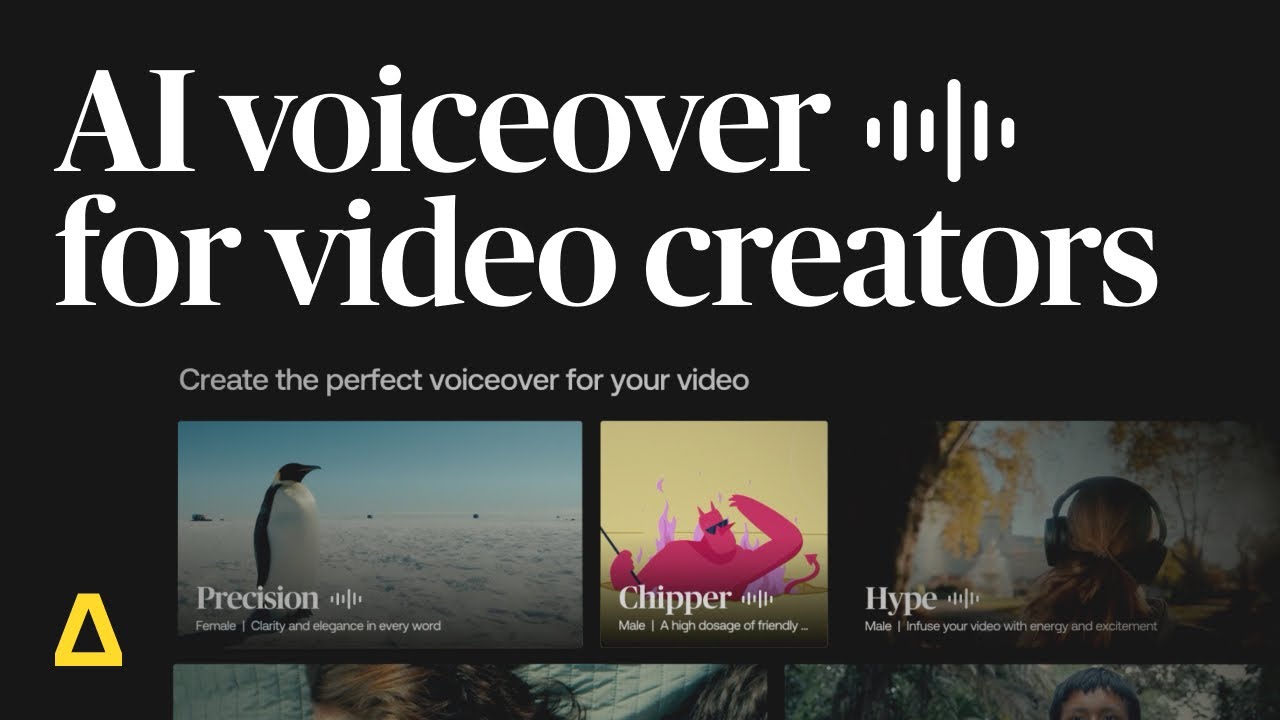
How to use Artlist’s AI voiceover
It is easy to get started with Artlist AI tools.
Steps to using voiceover with the Artlist AI Toolkit:
Choose your model – Cartesia Sonic 2, MiniMax 02 HD, Eleven v3, Eleven Multilingual v2
Explore the catalog of voices using the filters – category, gender, and age.
Choose your voice or create a custom voice by uploading an audio file and cloning your voice
Choose your voiceover settings, including language, English accent, stability control, voice speed, and add voice effects.
Enter your text in the prompt box, up to 5,000 characters
Generate and download
Text to speech
Artlist’s AI voiceover tool is constantly being updated so you can always generate studio-quality voiceovers with exceptional clarity on the first try. Choose from exclusive natural-sounding voices in over 71 languages, with multiple speeds, accents, and emotional tones. English accents include: American, British, Australian, and Indian.
You can also choose from loads of emotion options: Neutral, Angry, Sad, Happy, Surprised, Fearful, and Disgusted
Speech to speech
With Speech to Speech, you can upload any voice recording in English to generate the perfect AI voiceover and capture every emotional range, tone, pronunciation, speed, pacing, and pause. Files can be uploaded in MP3, WAV or OGG file types. Create more engaging, professional voiceovers in three easy steps.
- Drag & drop or upload your audio file with the Speech to Speech icon
- Select a voice from the catalog
- Click Generate
Say what you want, how you want it, every time. See it in action here.
Voice effects
Transform your AI-generated voiceovers with distinct audio styles — no plugins or post-production required. Choose from AI voice changer effects like Walkie-Talkie, Robotic Assistant, Vintage Radio, and more. Learn more about the different effects here.


AI Voiceover pricing plans
Want to get in on the voiceover action? You can try the AI voiceover generator as part of a free trial plan. Free users can browse the catalog and generate voiceovers. Love what you hear? There are a few Artlist plans to choose from based on your individual or business needs:
Artlist Max
AI voiceover is included in Artlist Max, the ultimate plan for video creators. Get everything you need to create incredible videos with unlimited access to music, SFX, footage, templates, plugins, and now hours of AI Voiceover is also included in your plan. Subscribe to start creating today.
Subscription costs (Prices exclude VAT) :
- 7,500 credits $39.99/ month (billed annually).
You can add more credits for greater flexibility across all AI tools in your plan:
- 16,500 credits add $14.99 / month (billed annually).
- 40,000 credits add $29.99 / month (billed annually).
- 120,000 credits add $89.99/ month (billed annually).
- 180,000 credits add $139.99/ month (billed annually).
- 240,000 credits add $179.99/ month (billed annually).
- 500,000 credits add $379.99/ month (billed annually).
- 1M credits add $779.99/ month (billed annually).
- $20 / month (billed annually) to add RAW/LOG footage.
AI Suite
These plans gives you access to all the AI tools you need to create videos — AI voiceover, AI image, and AI video generation. Choose how many credits you want and use them across all the tools, depending on what your project calls for. To start generating your AI content, subscribe today.
| Plan | Includes | Monthly | Yearly ($) | License | |
| Credits | Cost ($) | ||||
| AI Starter | AI videos AI images AI voiceovers | 7,500 | 15.99 | 13.99/ month billed annually | All commercial use for any platform |
| 16,500 | 19.99 | ||||
| 40,000 | 39.99 | ||||
| 120,000 | 99.99 | ||||
| AI Professional | AI videos AI images AI voiceovers Priority generation speed | 180,000 | 149.99 | 99.99/ month billed annually | All commercial use for any platform |
| 240,000 | 199.99 | ||||
| 500,000 | 399.99 | ||||
| 1M | 799.99 | ||||
Your credits renew every month, and you can combine them however you want across all AI tools in your plan. You can add more to your plan for greater flexibility. You can buy up to 10M credits at a time.
Flexible pricing plans mean you don’t pay for more than you need, and can scale up whenever your projects demand more.
Related Posts


AI Voiceover plan
The Artlist AI Voice over pricing plan is better value for money than ever, and gives video creators more payment flexibility. If you want to create attention-grabbing voiceovers check out the best AI voice generator plan now.
- 7,500 credits $15.99 / monthly (billed monthly). Prices exclude VAT
- 7,500 credits $11.99 / month (billed annually). Prices exclude VAT
Business
If you’re a company or a business with over 50+ employees, you can customize your plan to include voiceover, SFX, music, footage, and more according to your needs. Contact Sales to see how you can reach your audience with attention-grabbing videos, podcasts, and more.
Wrapping up
With Artlist’s AI voiceover generator, you have the power to enhance your storytelling like never before. Whether you’re producing content as an individual creator or representing a brand, the AI voiceover conveys your message clearly and professionally, helping you captivate your audience and stand out in a crowded digital landscape.
Ready to elevate your content with high-quality, scalable narration? Try Artlist’s AI voiceover generator today and experience the difference for yourself.
Did you find this article useful?


