


What makes Veo 3 stand out?
If you’re a filmmaker or video creator, then it’s time to explore Google Veo 3, Google’s new text-to-video AI model. The tool turns simple text prompts into cinematic 1080p clips with synchronized audio, realistic physics, and stunning detail.
What sets Veo 3 apart from its predecessors? Well, this model features native audio capabilities, which means it can generate or synchronize audio (like dialogue, ambient sound, or effects) directly with your video content, so you don’t have to add sound separately in post-production.
The model gives filmmakers a faster, more intuitive way to bring bold ideas to life. But ultimately, unlocking its full potential comes down to how you write your prompts. That’s where JSON prompting comes in. These allow you to structure ideas with precision, and give Veo 3 the clarity it needs to generate the scenes you envision.
Why do JSON prompts matter?
So if it all comes down to prompts, what’s the best way to write them? There are tons of options, but the JSON format is top of the list. It’s like a shot list for AI video that helps you maintain consistency across multiple clips, refine specific details, and adjust setups as you would on a production set.
You can approach AI image and video generation in many different ways, and experimenting with various methods is part of the fun. JSON prompting shines when a project requires precision or consistency across multiple visuals.
JSON prompts bring the AI creation process closer to real-world directing. You’re setting the stage, directing the camera, shaping the rhythm, and calling the shots, and it’s easy to refine your vision and build sequences that hold together like a finished film.
Creators deserve precision from their AI tools, and JSON prompts turn Veo 3 from an already powerful tool into a storytelling machine. But don’t take our word for it — see for yourself. Here are some real-world examples of Veo 3 videos from creators:
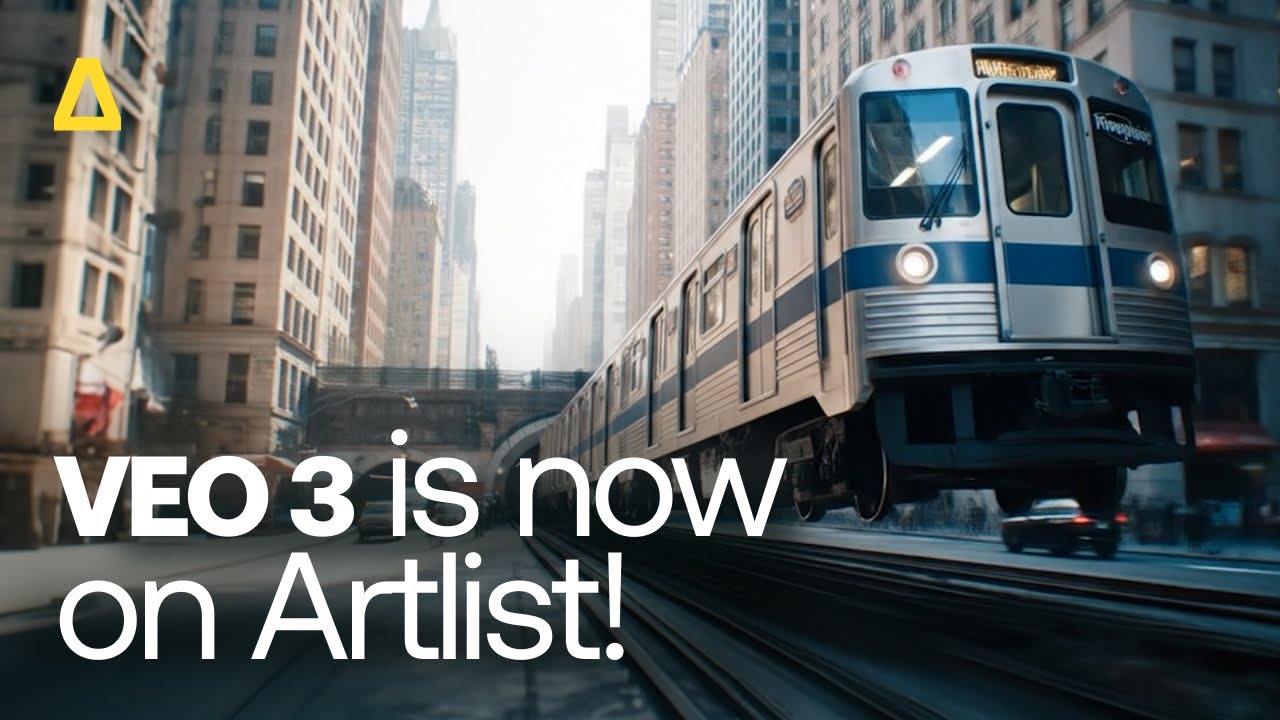
Now, let’s find out exactly how you can make the most of this groundbreaking new technology.
What is JSON prompting?
A JSON (JavaScript Object Notation) is a structured, machine-readable format that organizes information into clearly defined fields, making it easy for AI models to understand exactly what you want. It’s way more detailed than a text prompt because it gives instructions via a structured format instead of just a single sentence of plain text. A JSON prompt organizes your request into clear segments like scene description, camera moves, characters, colors, sound, energy, and more.
With JSON prompts, you can approach AI video generation in the same way you would a set, but with way more flexibility. The mood could be melancholy, the movement slow pan, the style cinematic, and the shot type drone. You can write out the scene, whether that’s a city street at night, a dimly lit room, or a dusty old library.
This structure means your ideas translate into video with greater accuracy and consistency across multiple shots or scenes, something text prompts alone have so far struggled to deliver.
Plain-text vs. JSON prompts
Plain text prompts are free-form, natural language descriptions written as text. They can be inconsistent or unpredictable, which leaves the AI to “guess” certain details.
Example: A peaceful mountain valley at sunrise, with soft golden light spilling over the peaks, a gentle river flowing through the meadow, and a few deer grazing near the water’s edge.
JSON prompts are structured and explicit, defining each element of a video. That includes scene, camera, motion, style, duration, physics, audio, and more, which is much easier for AI to interpret.
Example: {
“scene”: “A peaceful mountain valley at sunrise”,
“style”: “Photorealistic, cinematic”,
“details”: {
“lighting”: “Soft golden light spilling over the peaks”,
“landscape”: “A gentle river flowing through a green meadow”,
“wildlife”: “A few deer grazing near the water’s edge”
},
“mood”: “Calm, serene, and inspiring”
}
JSON prompting isn’t the only or best way to use Veo 3. While text prompts can sometimes be inconsistent, they’re also flexible and easy to write. JSON prompting supports AI image and video generation by offering more structure and precision, but comes with its own trade-offs. Both approaches have strengths and limitations, and the best choice depends on your goals as a filmmaker.
Anatomy of a JSON prompt
Here’s a breakdown of every element of a JSON prompt so you can turn your vision into precise, cinematic video.
Prompt (main description)
What it does: Describes the content or scene for the AI to generate.
Why it matters: Sets the overall creative direction, while all other details refine or enhance it.
Best practices: Keep this section clear and concise, and use visual language that conveys mood, action, and/or cinematic intent.
Example snippet: “A cinematic sunset over a snow-covered mountain range, with clouds glowing orange.”
Negative_prompt (what the AI should leave out)
What it does: Tells the AI what elements to not include in the generated video.
Why it matters: No unwanted objects, colors, or styles in your generations.
Best practices: Be specific but brief, and focus on elements that might disrupt your scene or vision.
Example snippet: “No people, no buildings, no modern objects.”
Duration_seconds (video length)
What it does: Sets how long the video clip will run.
Why it matters: Controls pacing and timing for the scene, so your footage matches your project needs.
Best practices: Keep clips short if planning multiple shots. Longer clips work well for establishing shots.
Example snippet: “12”
Aspect_ratio (format)
What it does: Determines the shape of the video, such as 16:9, 9:16, or 1:1.
Why it matters: Ensures the video matches the platform or cinematic format you’re targeting.
Best practices: Use 16:9 for standard films, 9:16 for social or mobile content, 1:1 for square animations.
Example snippet: “16:9”
Generate_audio
What it does: Enables AI-generated audio, including music, sound effects, or ambient sound.
Why it matters: Adds depth and realism and saves the time of having to source or sync audio manually in post production.
Best practices: Find the best type of audio (ambient, music, dialogue) to match the scene’s mood.
Example snippet: true
Camera.motion and Camera.angle
What it does: Controls the movement and perspective of the AI visual.
Why it matters: Defines cinematic style and pacing.
Best practices: Use options like tracking, pan, or static for motion, and combine with angle choices for dynamic shots.
Example snippet: motion: “tracking”, angle: “eye-level”
Lighting
What it does: Choose your brightness, direction, time of day, and mood of the scene.
Why it matters: Influences atmosphere, realism, and emotional tone.
Best practices: Include descriptors like “golden hour,” “dimly lit,” or “flickering candlelight.”
Example snippet: “sunset, warm, soft shadows”
Character
What it does: Identifies the main subject/s of the scene, whether human or non-human.
Why it matters: Ensures the AI knows who or what to animate, including appearance and actions.
Best practices: Be specific about appearance, clothing, posture, and emotions.
Example snippet: type: “young woman”, action: “walking through forest”, emotion: “reflective”
Environment
What it does: Defines the setting or location of the scene.
Why it matters: Sets context and background, which is essential for realism.
Best practices: Include descriptors like weather, time of day, or landmarks.
Example snippet: “dense forest clearing, misty morning”
Style
What it does: Determines the visual aesthetic of the video.
Why it matters: Establishes the creative look, whether that’s photorealistic, stylized, or cinematic.
Best practices: Specify recognized styles such as “cinematic,” “anime,” “noir,” or “hyper-realistic” for consistency.
Example snippet: “cinematic”
Audio
What it does: Adds ambient sound, dialogue, or music if not using auto-generated audio.
Why it matters: Completes the scene’s atmosphere, which is critical for engagement and immersion.
Best practices: Specify the type of audio and intensity, such as ambient, fast, slow, music, or speech.
Example snippet: ambient: “birds chirping, wind rustling”, music: “soft piano”, speech: “none”
Pros of JSON prompting
Structured output: When you spell out the details of your scene, the AI can follow along more easily, cutting down on guesswork and turning your vision into video with greater accuracy.
Clarity: Using JSON prompts clearly indicate to the AI which parts matter, resulting in more accurate results.
Easy integration: Because JSON is a standard format used across creative tools and APIs (Application Programming Interfaces) like Adobe Creative Cloud and Runway ML, your prompts can be incorporated smoothly into your editing pipeline, saving time and energy.
Validation: JSON allows you to check for errors before running the generation process, which limits mistakes and ensures your prompts are correctly formatted.
Consistency: When you use structured prompts, repeated instructions produce similar outputs, so you’ll have a clear, consistent thread across shots and sequences.
Standardization: JSON makes it easy to standardize and reuse prompts across multiple tasks, which saves time and ensures consistency.
Automation and parameters: JSON is better for automation and handling multiple parameters (like tone, length, and format), which gives you more control over the end result.
Cons of JSON Prompting
Effort: JSON prompts take more work to create compared to plain text.
Accessibility: They feel less natural for casual users who just want to type simple instructions.
Flexibility: JSON can feel rigid if you’re unsure which fields to include.
Adjustments: JSON often needs to be tweaked when working with language models, and certain phrases may not translate well for the AI generator.
Less expressive: The structured format of JSON prompts can limit the free-flowing creativity of plain-text prompts.
Best practices and real world examples
When creating JSON prompts for Veo 3, be clear and specific. Skip vague or poetic language, and include scene details like character traits, costumes, posture. Use filmmaking terms like ‘wide shot’ or ‘soft rim light’ to guide the AI’s visuals, and add style notes like ‘soft color grading’ or ‘cinematic lighting.’ Avoid overloading prompts with adjectives and conflicting instructions, and use negative prompts for anything you’re sure you don’t want.
Now, let’s take a look at how filmmakers and developers are using JSON prompting in their projects.
JSON prompts went viral after this Twitter user shared an example describing a cinematic Scandinavian bedroom scene where an IKEA box opens and furniture assembles rapidly. The prompt specified key details like camera type, lighting, room elements, motion, and ending state, which gave the AI everything it needed to produce a precise, visually coherent video.
Finally got round to testing Veo 3 for ads- IKEA (inspo ad)
— Salma (@Salmaaboukarr) July 19, 2025
Prompt below👇 pic.twitter.com/fSKhIUXf72
This clarity and control highlighted how JSON prompts make it easy to define exactly what matters, showing the community that structured prompts can unlock far more reliable and cinematic results — helping push the format into the mainstream.
And this Reddit user breaks down how they created a JSON prompt to generate a cinematic sushi scene.
Ingredients fly and slice mid-air into a box, with dynamic camera moves like whip pans, snap zooms, and bullet-time rotations. The scene shows floating sushi, mist, vapor, and kinetic chopsticks, all lit dramatically with a bold color palette for a premium, ultra-fresh look. Trap beats, percussive rhythms, and synced sound effects like rice crackle and soy splashes give it a truly cinematic feel, showing a clear creative vision realized by AI.


Tools to assist in prompt creation
If all this sounds slightly too complex, don’t worry. There are several tools available to help streamline the process of creating JSON prompts.
There’s JSON formatter and Claude.ai, which generates reliable code to convert between data formats accurately and efficiently. Another handy tool is the ChatGPT Prompt Generator, which helps you craft custom prompts for ChatGPT — perfect for building effective prompts for Veo 3.
Bring your creative vision to life
While there are many ways to guide AI image and video generation, JSON prompting stands out as a powerful method when precision and consistency matter most. It’s versatile, experimental, and a great way to help you achieve creative variety and reliable results.
Think of JSON as your camera rig, your DP, and your editor all rolled into code. By providing structured and detailed instructions, you can guide Veo 3 to produce videos that align closely with your creative vision. So experiment, explore, and bring your vision to life with these tools and techniques designed to unlock another level of possibilities with AI-generated content for filmmakers and creators.
Veo 3 is now live on artlist.io. Sign up today and open up a world of new possibilities for audio-visual storytelling.
Did you find this article useful?


