


The future of AI video production is here
Since day one, Artlist’s mission has been simple: empowering creators with creative freedom.
Today, over 50 million creators choose Artlist to bring their ideas to life. But as AI reshapes the creative industry, that mission requires a new perspective.
What does creative freedom look like in the age of generative AI?
Today, it’s about providing content creators with AI tools that support them rather than replace them, and workflows that give them more control over every stage of video creation.
The launch of the Artlist AI Toolkit marks the first step toward the future of AI video production. It moves beyond surface-level AI features and introduces a deeper, more cohesive creative platform — one designed around how creators work today, and where video creation is headed next.
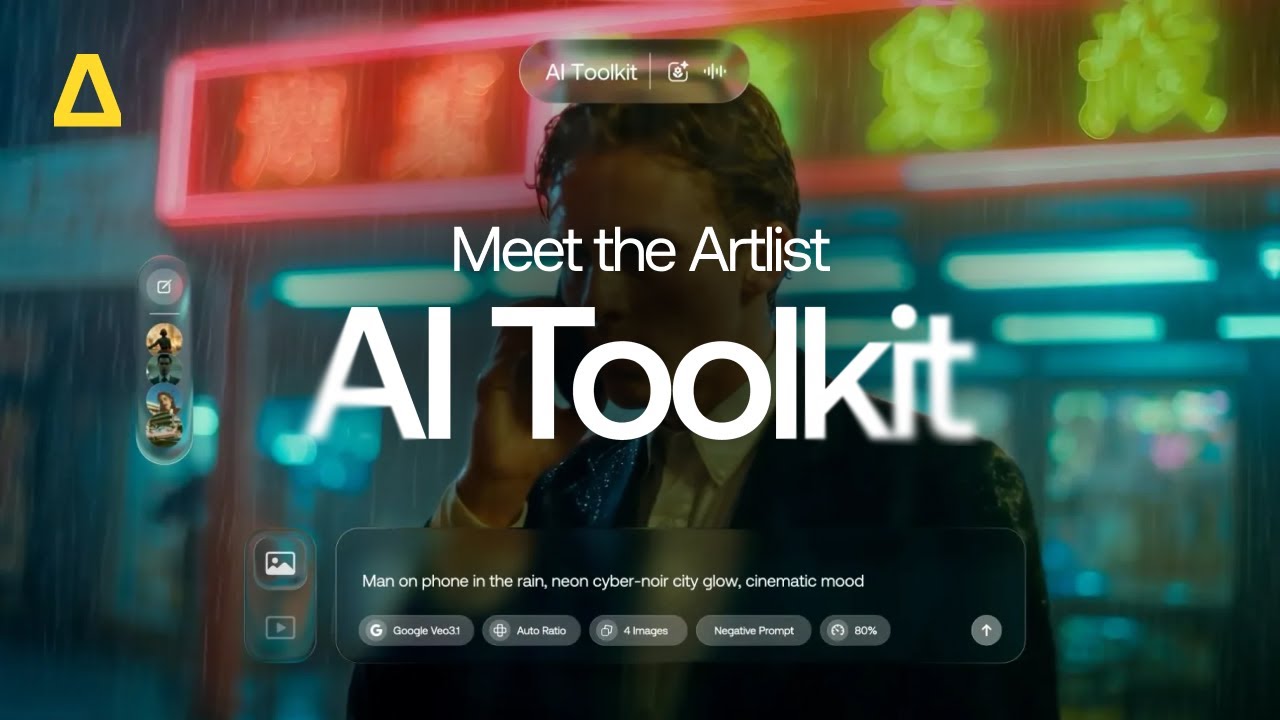
All your AI tools, in one intuitive experience
AI tools are everywhere, but building a setup that works for real creative projects is still a challenge. Switching between platforms and models can break momentum and slow down the creative process.
The Artlist AI Toolkit brings everything together into one organized creative experience for image, video, and AI voice generation. With more models, in-depth settings, and generations that live side by side, ideas can move smoothly from concept to final output.
And as AI continues to evolve, so does the toolkit. New models and capabilities are added as they’re released — so creators always have access to what’s next, without changing how they work.
New models and features
You’ll now have access to over 64 image and video generation models, including more than 30 new additions, making it easier to choose the right tool for each idea. Some models are built for speed, others for realism or fine detail.
The AI Toolkit launches with Artlist Original 1.0, Artlist’s first original cinematic image model, exclusive to Artlist and built to deliver consistent, production-grade visuals inspired by the quality and style of Artlist’s own footage catalog.

In addition to more models, the AI Toolkit offers new generation controls that add flexibility where it matters most. Depending on the model, creators can fine-tune how closely results follow a prompt, remove elements they don’t want, use more reference images, or generate multiple variations at once. This makes it easier to experiment freely or add and refine elements without slowing down creative flow.
Artlist’s AI Voiceover tool has also expanded, with more voiceover models and support for 71+ languages.
Below is a breakdown of all the models and controls currently available in the AI Toolkit, and where each feature is supported.
AI video models
- Veo 3.1
- Veo 3.1 Fast
- Sora 2
- Sora 2 Pro
- Kling 3.0
- Kling O3
- Kling O3 Video Edit
- Kling 3.0 Motion Control
- Kling 1.6
- Kling 2.1
- Kling 2.5 Turbo Pro
- Kling 2.6 Pro
- Grok Imagine
- Wan 2.6
- LTX 2.0 Pro
- Hailuo 2.3 Standard
- Hailuo 2.3 Pro
- Hailuo 2.3 Fast Standard
- Hailuo 2.3 Fast Pro
- Seedance 1.5 Pro
- Seedance 1.0 Pro Fast
AI image models
- Artlist Original 1.0
- FLUX.2
- FLUX.2 Pro
- FLUX.2 Flash
- FLUX.2 Turbo
- Seedream 4.5
- Seedream 5.0
- Kling 3.0
- Kling O3
- Imagen 4
- Imagen 4 Ultra
- Nano Banana 2
- Gemini 2.5 Flash Image (Nano Banana)
- Gemini 3 Flash Image (Nano Banana Pro)
- GPT Image 1.5 Low
- GPT Image 1.5 Medium
- GPT Image 1.5 High
- GPT Image 1.0 Mini
- Wan 2.6 Image
- Ideogram v3
- ImagineArt 1.5
- Hunyuan Image v3
- Z-Image Turbo
AI music models
| Feature | Supported video models |
| Prompt Guidance Scale | Kling 1.6, Kling 2.1, Kling 2.1 Master, Kling 2.5 Turbo Pro, Kling 2.6 Pro |
| Negative Prompt | Kling 1.6, Kling 2.1, Kling 2.1 Master, Kling 2.5 Turbo Pro, Kling 2.6 Pro, Veo 3.1, Veo 3.1 Fast, Wan 2.6, LTX 2.0 Pro |
| Start/End Frame | Veo 3.1, Veo 3.1 Fast, Kling 1.6, Seedance 1.5 Pro, Kling 2.5 Turbo Pro, Kling O1 Pro, Kling 2.1 |
With more powerful models and controls, creators aren’t limited to a single look or output. You can explore multiple creative directions, compare results, and choose the right model for every stage of your project. All without switching tools or interrupting the creative process.
As new models and features continue to become available, they’re added directly into the AI Toolkit, so you’re always up to date.
How to use the Artlist AI Toolkit
The AI Toolkit is designed to be simple and intuitive. Each creation type follows the same basic flow, so everything else feels familiar.
How to use the Artlist AI Toolkit
The AI Toolkit is designed to be simple and intuitive. Each creation type follows the same basic flow, so once you’ve used it, everything else feels familiar.
Create an AI image:
Open AI Image.
Choose a model and add reference images if needed.
Describe what you want to create, and choose your settings, such as resolution and aspect ratio.
Use Negative Prompt to exclude anything you don’t want in your image.
Click Generate.
From there, you can view your creations and previous sessions, download or upscale results, and save images to Artboards or Favorites.
Create an AI video
Open AI Video.
Choose a model.
Describe your video, or add a start and end frame if supported.
Adjust your settings — set resolution, duration, and aspect ratio (depending on the selected model).
Decide whether to include audio.
Click Generate.
Your video appears in your session, ready to review or refine.
Create an AI voiceover
Open AI Voiceover.
Select Text to Speech or Speech to Speech.
Choose your model and voice.
Add your script or voice recording.
Adjust voice settings like language, accent, speed, emotion, or effects.
Click Generate.
Create AI music
Open AI Music.
Choose your model.
Adjust your settings like duration, genre, mood, theme and tempo.
Add a text prompt and reference image.
Click Generate.
Your AI music appears in a new session on the left.
Create a custom voice
Open AI Voiceover.
Click Create Custom Voice and upload an audio sample.
Your custom AI voice clone can then be used to narrate any project.


Start creating with the Artlist AI Toolkit
The launch of the Artlist AI Toolkit is just the beginning. It lays the foundation for what’s next in AI video production, with new capabilities and workflows designed to evolve alongside the technology — and the way creators work.
Upcoming features like the AI Agent and Smart Canvas will continue to build on this foundation, introducing smarter assistance, more intuitive creation, and deeper creative control across every stage of the process.
Coming Spring 2026, Artlist Studio will complete the ecosystem as the first true AI production platformgiving creators end-to-end control over casting, locations, lighting, and camera direction.
Stay tuned for what’s coming next, and explore the AI Toolkit today to start creating without limits.
Did you find this article useful?


