


Artlist’s AI video generator is a carefully curated collection of generative AI models to fit the needs of video creators. This powerful new tool is also the only AI generator for images and videos that comes with a catalog of world-class creative assets: music, SFX, footage, LUTs, and editing tools, so you really have everything you need to create amazing video projects.
And, of course, your creations are covered by the Artlist license for use in commercial projects.
If you already have an Artlist subscription, you’ll find AI Image and AI video alongside all the tools you already love in the Artlist AI Toolkit. New to Artlist? Sign up for free to start creating AI images, videos, and voiceovers today.
Unleash your creativity with AI image and video generation
Built with creators in mind, you can generate images and videos from simple text prompts or reference images And you can be sure that Artlist is always updating the AI Toolkit with the latest models to give you the best videos.
Whether you’re designing assets for social, storyboarding, or building motion content from scratch, it’s all at your fingertips.
We’ve put together a guide to help you get the most out of this incredible new tool and create amazing visuals for any project.
How to get started: Access AI Image and AI video
Ready to create with gen AI? Follow these simple steps to get started:
AI Image: Text to Image and Image to Image
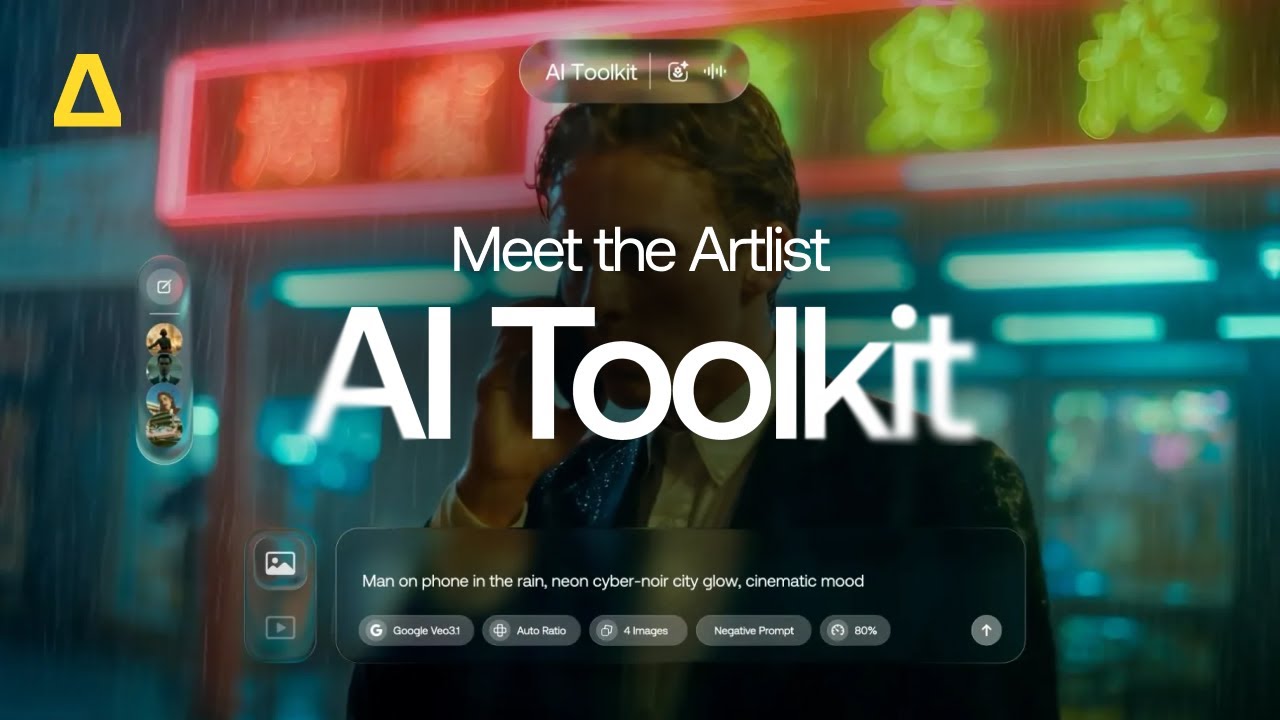
Choose your model and type your vision into the prompt box. Click Auto-Prompt on the right of the prompt box (on selected models) to create a more detailed, descriptive prompt based on your initial idea. Use the negative prompt setting to exclude unwanted elements, for example: blurry, text, or shadow, on supported models.
Upload a reference image (with image to image models) to help the AI understand the composition or style you need.
Set your aspect ratio, resolution, and duration.
Hover over the button to confirm the credit cost, then click Generate. Your image will appear in your session history on the left-hand side. From there, you can save to Favorites, add to Artboards, Upscale for higher quality, Recreate and reuse your prompts, download to use in your projects, or delete unneeded creations.
AI Video: Text to Video, Image to Video, Video to Video
Follow this step-by step if you are ready to dive into video creation using AI.
How to generate AI videos with Artlist AI Toolkit :
Select AI Video on the AI Toolkit.
Choose your model and type your vision into the prompt box.
For models that support upload a video, or Start Frame image for specific transitions, and an End Frame to control the video’s start and finish.
Adjust your settings, including Duration, Aspect Ratio, and Resolution.
Add audio. Options include auto-generated sound effects and dialogue on selected models such as Kling 2.6 Pro, and Veo 3.1 Fast.
Learn more in our dedicated articles about the various models, tips to generate your best videos, and our detailed guide to prompts.
AI Image and AI Video plans
Ready to get started? You can try Artlist’s AI image and AI video generator together with Artlist’s AI voice generator today by signing up for a free trial. You can browse the catalog and generate for free with some models to try it out first!
To start generating AI content for commercial use, you’ll need to subscribe to Artlist with one of our plans that includes the AI tools. Each plan comes with flexible credits that you can use however you need — to generate AI voiceovers, images, or videos. There are a few Artlist plans to choose from based on your individual and business needs:


Artlist Max
Artlist Max is the ultimate plan for video creators. Get everything you need to create incredible videos with unlimited access to music, SFX, footage, templates, plugins, AI voiceover as well as AI Image and AI video. Start creating today when you subscribe.
AI Starter and AI Professional
These plans give you access to all the AI tools you need to create videos — AI voiceover, AI image, and AI video generation. Choose how many credits you want and use them across all the tools, depending on what your project calls for. To start generating your AI content, subscribe today.
Business Plan
If you’re a creative agency or a business with over 50+ employees, you can customize your plan to include AI image & video, voiceover, SFX, music, footage, and more according to your needs, all covered by the Artlist license. To learn more talk to our talk to our sales team.
There’s even more to come
Artlist’s AI video generator contains a carefully curated selection of AI models to help you get the best results for your projects. As this technology continues to evolve, you can be sure that we’ll keep adding the latest and best-performing models to the tool, just like we’re always adding new music, footage, and other content to our catalog to help you stay on trend.
This means that you don’t need to spend time and energy trying to stay ahead of the curve of new technology. As soon as it’s out there and good enough, you’ll find it in Artlist, so you can focus on creating amazing videos.
And that’s not all. We are adding new features and releases all the time. The bottom line? There’s a lot to look forward to!
Start creating with AI today
Artlist’s AI video generator gives creators of all kinds a simple way to turn ideas into animated visuals. Whether you’re a filmmaker, content creator, in-house creative, or just experimenting, it’s a powerful tool for fast, high-quality results.
Why wait? Unleash your creativity today and start generating incredible videos and images with just a few clicks. Head over to Artlist and bring your ideas to life.
FAQs
Did you find this article useful?


