


Creating the right visual takes time. You need the right shot, the right mood, the right moment. And sometimes, you need it fast. Whether you’re building a pitch deck, storyboarding a concept, or exploring a creative direction, the gap between idea and execution can slow everything down. That’s why we’ve introduced Grok Imagine on the Artlist AI Toolkit.
What is Grok Imagine?
Developed by xAI, Grok Imagine is an AI generation model built for visual storytelling. It turns written prompts into high-quality images or video clips, giving you a faster way to explore concepts, create mood boards, or generate assets for projects in progress.
Grok’s image and video generation model is a tool for creative exploration. Think of it as a way to visualize what’s in your head before committing to a shoot, a design, or a final direction.
Grok Imagine comes in two variants. Choose between creating with the AI image generator model or the AI video model, depending on your project needs. The model supports text to image, image to image, text to video, and image to video generation.
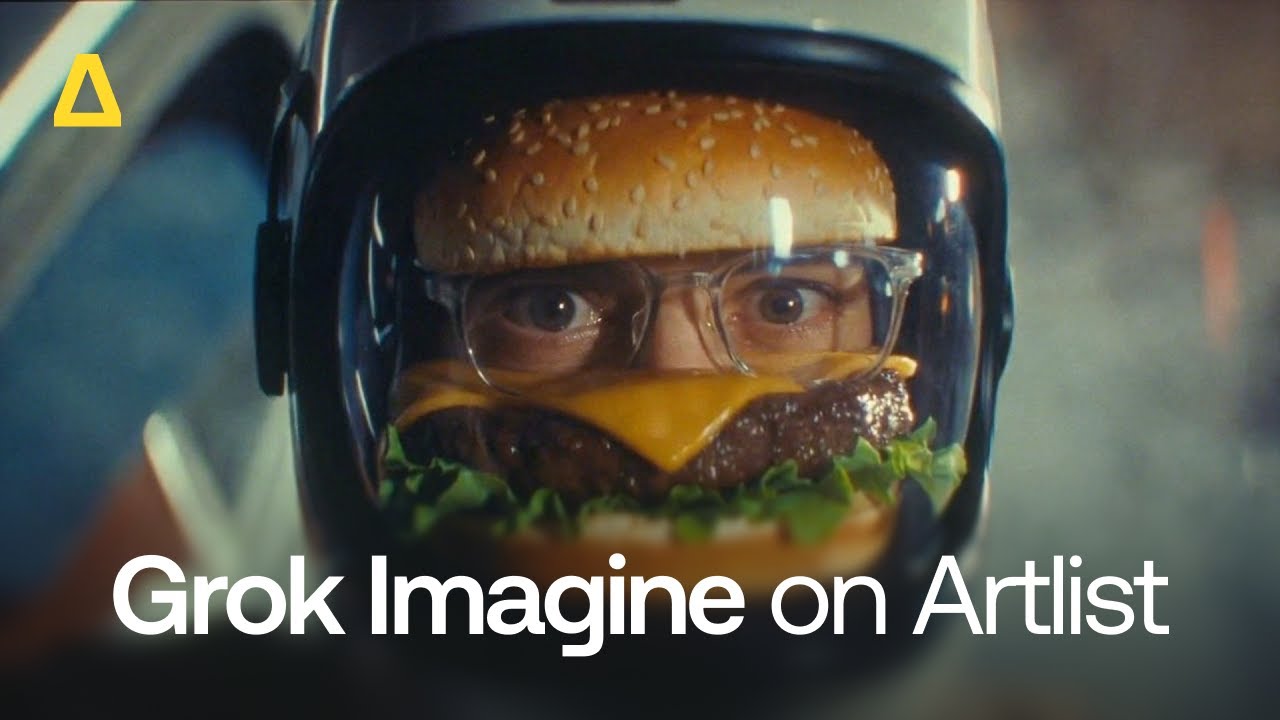
Grok Imagine for images
Grok Imagine for images is built for speed and style. It excels at creating atmospheric, character-driven visuals with a cinematic quality that feels intentional.
It’s strong for:
- Stylized portraits and characters with expressive lighting and detail
- Moody, narrative scenes with a strong story and emotion
- Visual concepts for campaigns, storyboards, or creative pitches
The model responds well to descriptive prompts and works quickly, so you can iterate through variations without waiting. It’s ideal for creators who need to visualize an idea before investing in production. It’s also great for producing polished placeholder visuals while the final assets are in progress.
Grok Imagine for video
Grok Imagine for video takes things further by adding motion. You can generate short videos from a text prompt, add built-in audio, or use an existing image as a starting point and bring it to life.
The video output maintains the same moody, cinematic style as the image model, with smooth motion and strong atmospheric consistency. It’s useful for:
- Concept videos that communicate tone or direction
- Animated sequences for social content or presentations
- Motion mockups for pitches or client reviews
Grok Imagine handles video generation with a high level of visual coherence that makes it extremely practical for creatives.


Who is Grok Imagine built for?
Grok Imagine is designed for anyone who needs to create visuals faster, without sacrificing quality or creative control.
| User | What Grok is best for |
| Creators | Prototype ideas, build mood boards, or generate assets for personal projects. If you’re testing a visual direction or need something specific that doesn’t exist in stock libraries, Grok Imagine gives you a starting point. |
| Marketers | Visualize campaign concepts, generate social content, or create placeholder visuals while waiting on final assets. The video capability is useful for quick turnaround content that needs motion but doesn’t require full production. |
| Teams and agencies | Align on creative direction early, share visual references with clients, or explore multiple concepts in parallel without waiting on designers or external vendors. |
Whether you’re working with images or video, Grok Imagine fits naturally into fast-paced, iterative workflows that define modern creative work.
How to use Grok Imagine on Artlist
Creating images and videos with Grok Imagine is fast and intuitive. Here’s how to get started:
Follow these steps to use Grok Imagine in the Artlist AI Toolkit
Choose AI image or AI video on the Artlist AI Toolkit, depending on what you want to create.
Select Grok Imagine in the model menu.
Enter a text prompt describing what you want to generate, or upload a reference image. Be specific about mood, lighting, subject, and style. The model generates your visual in seconds.
Choose your settings.
Image model: Aspect ratio (1:1, 1:2, 2:1, 2:3, 3:2,3:4, 4:3, 9:16, 16:9), Number of image generations (1-4)
Video model: Aspect ratio ( 1:1, 2:3, 3:2, 3:4, 4:3, 9:16, 16:9), Duration (1-15 seconds), Resolution (480p, 720p)
Find your creations in your sessions. From there, you can refine your prompt, try variations, or download the result to use in your project. You can also organize and revisit your outputs as needed.
Using Grok Imagine: Example prompts
Whether you want to generate images or videos, here are some example prompts to help you get started with Grok Imagine.
Creating images with Grok Imagine
Prompt: A woman in her 30s standing in a dimly lit coffee shop at dusk, warm golden light from the window, cinematic close-up, soft-focus background.

Then, if you want to refine your prompt, click “Auto-prompt” to get a suggested prompt. For example:
Prompt: Change the background to a brighter, more bustling café scene with more patrons. Add a steaming coffee cup in front of her for added context.

Bringing videos to life with Grok Imagine
Enter a simple prompt like: Slow camera push through a foggy forest at dawn, sunlight breaking through the trees, cinematic and moody.
And if you click “Auto-prompt,” you receive a more detailed version of the prompt, which will create a more detailed video.
Updated prompt: A slow camera push moves through a dense, fog-laden forest at dawn, where soft beams of sunlight break through the thick canopy, creating ethereal highlights on the mist. The camera advances steadily, capturing the tranquil atmosphere as shadows dance between the trees. The lighting is soft, with an emphasis on the interplay of light and fog, evoking a cinematic and moody tone. **Sound: Whispering winds through the leaves, distant bird calls, and a gentle, haunting music score adding to the serene ambiance.**
These are starting points. The more detail you provide, the more control you have over the result.
Why Grok Imagine on Artlist matters
Artlist has always been about giving creators the tools they need to work faster and better. With Grok Imagine on Artlist, creators have access to the latest AI-powered image and video models, with new capabilities added regularly. This gives you an expanding range of creative options to experiment with.
Whether you’re sketching out a concept, exploring a new direction, or refining a project, Grok Imagine provides the flexibility to try, iterate, and discover what works best.
That means less time jumping between tools, fewer subscriptions to manage, and more time being creative.
Grok Imagine is about expanding what’s possible, whether you’re testing a concept, filling a gap in your timeline, or exploring a new direction. Grok Imagine gives you the space to try.
Ready to start creating? Try Grok Imagine on Artlist today.
Did you find this article useful?


