Sora 2 vs. Veo 3.1: which is better? (opens in new tab)

Create cinema-quality videos from text prompts or images with Google’s state-of-the-art Veo 3.1 AI video model. Built for immersive storytelling with smooth motion, crisp detail, and perfectly synced audio.
Follow these simple steps to start generating with Google Veo 3.1 right inside the Artlist AI Toolkit.
Open the AI image and video generator and select the Veo 3.1 model.

Upload your start and end frames or describe your scene with a prompt.

Get your new AI creation in seconds, then add it to any project.

Veo 3.1 AI video generator helps creators across industries to test ideas, pitch concepts, and make professional-quality videos faster.
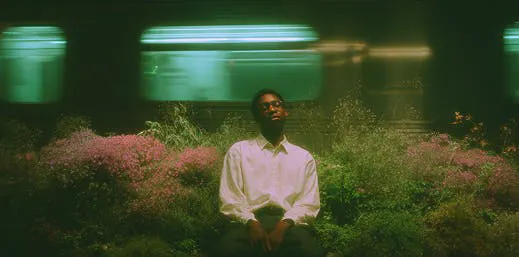
Generate concept frames, storyboards, and early visual directions fast. Veo 3.1 helps you test scenes, pacing, and camera ideas before you step into production.
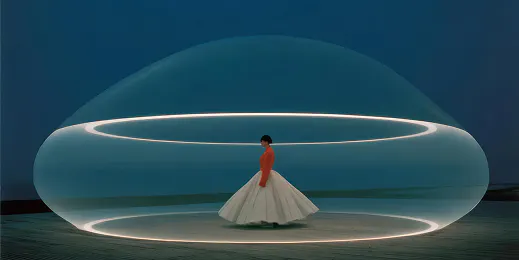
Create cinematic intros, themed clips, and quick visual ideas in minutes. Experiment with different styles and creative directions without needing a camera crew.

Get professional, studio-quality videos for campaigns, ads, and social content. Use Veo 3.1 to explore multiple creative directions, pitch ideas, and shape visual themes quickly.
Write a text prompt or add images, and Veo 3.1 brings your creative vision to life.

See why Google’s DeepMind Veo 3.1 is one of the most advanced AI video generators available today.
Get built-in sound directly from your prompt, including ambience, dialogue, and music — and syncs it automatically to the video. No editing tools or plug-ins required.
Describe the shot the way you imagine it, and Veo 3.1 follows your instructions closely. The model handles complex cinematic language, camera moves, and environmental details with high accuracy.
Veo 3.1 AI simulates real-world physics with motion, fluid dynamics, lighting behavior, and object interaction. Movements feel grounded and believable, enhancing realism in every output.
Generate crisp, detailed footage with clean, natural texture and smooth motion. Veo 3.1 delivers visuals that hold up on large cinematic screens, professional displays, and commercial projects.
Keep characters consistent from clip to clip. Veo 3.1 AI aligns lip movements with dialogue, maintains facial structure and expressions, and preserves identity — essential for narrative or character-driven work.
Get practical tips and guides to help you unlock your creative potential with Veo 3.1.


Veo 3.1 is Google DeepMind’s most advanced AI video model, now integrated into Artlist. It delivers exceptional visual quality and prompt accuracy, making it ideal for cinematic results. The model generates 8-second video clips in 720p or 1080p from text and image inputs, and can produce native audio – from music and sound effects to dialogue and ambient soundscapes.
Veo 3.1 supports both text-to-video and image-to-video workflows in the Artlist AI Toolkit. Just log into your Artlist account, open the video generator in the AI Toolkit, and choose “Veo 3.1” or “Veo 3.1 Fast”. For Text to Video, write a detailed natural language prompt that describes the scene, style, camera angles, mood and audio. To generate with Image to Video, upload one or more images and add a prompt to direct motion, lighting and sound. Once generated, download the clip for use in your project.
Veo 3.1 is perfect for creating short, polished video content — from social prompts and cinematic clips to trailers with synchronized audio (music, dialogue, effects, ambient sound). It handles motion, style, sound, and lighting automatically, so video creators can skip heavy editing and focus on storytelling.
Yes. Artlist offers multiple Veo AI models you can choose from, such as Veo 3.1 Fast, with options for video-only generation or video with built-in audio. This lets you pick the right Veo model based on whether you need higher quality, faster generation, or synced audio for your project.
Still have questions? We're here to help.