Meet FLUX.2 on Artlist (opens in new tab)

Black Forest Labs’ Flux.2 Dev is an advanced AI image generator for fast and precise text‑to‑image and image-to-image generation outputs with superior character consistency, quality typography, and complex prompt control.
.jpg?auto=format%2Ccompress&s=470fa193ec2714d0d91c47997b380e91)
Unlock the full potential of Flux.2 Dev directly inside the Artlist AI Toolkit for seamless image-to-image creation.
Open the AI image and video generator, select the Flux.2 Dev model.

Upload a reference image and describe how you want to transform your visual.

Click generate to see your vision come to life, then edit or download instantly.

Designed for high-performance workflows, Flux.2 Dev gives professionals the control they need to tell consistent visual stories.

Deliver cohesive, on-brand campaigns where specific characters, products, and aesthetic styles remain identical across every single asset.
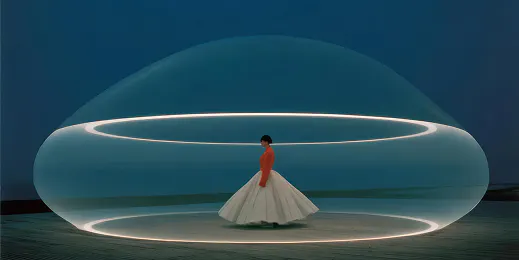
Quickly create high-converting thumbnails where your face and unique channel style stay consistent, boosting instant brand recognition.

Visualize complex scenes with precision. Create storyboards where actors, costumes, and locations look the same from shot to shot.
Upload an image reference or write a text prompt, and Flux.2 Dev generates visual concepts with stunning accuracy.

Powered by Black Forest Labs, Flux.2 Dev delivers the ultimate combination of speed, precision, and creative control for professional workflows.
Maintain exact character likeness and object details across multiple generations, angles, and lighting conditions for truly cohesive projects.
Edit intelligently. Change specific areas of an image using natural-language prompts without altering surrounding pixels or ruining the composition.
Generate accurate, readable text within your images. Perfect for creating movie posters, YouTube thumbnails, and social media assets that require typography.
The model understands nuance. Input detailed, multi-layered descriptions and get results that capture every element of your request with "Max" level accuracy.
Discover tips, workflow hacks, and deep dives to help you get the most out of your image generations.
Flux.2 Dev is a state-of-the-art generative model by Black Forest Labs. It specializes in "in-context” generation, meaning it can understand both text prompts (AI text-to-image) and input images simultaneously. This allows for high-end character consistency, accurate text rendering, and precise editing that standard models cannot achieve.
Flux.2 Dev is found in the Artlist AI Toolkit. Go to the Image and video generator, select the Flux.2 Dev model, and you can immediately start creating your assets.
This model is ideal for professional work. You can create consistent storyboards for film, marketing assets with readable text, and social media content that maintains a specific visual identity. Because of the pro-level architecture, the output is high-resolution and commercially viable.
Yes, Artlist offers more models under the AI image generator's Flux family, such as Flux 2.0 Pro and Flux.2 Edit Pro, Flux.2 Flash and Flux.2 Turbo. Check the model dropdown in the toolkit to see your available options.
Still have questions? We're here to help.

