Kling O1 is live on Artlist: Here’s what you need to know (opens in new tab)

The multimodal foundation model, Kling O1 Image by Kuaishou, merges text, image, and video processing. Achieve director-level control with natural language editing and precise style transfer.

Designed for storytellers and commercial professionals, Kling O1 Image bridges the gap between random AI generation and controlled direction.

Generate consistent storyboards with “Start and End frame” control. Visualize specific camera angles (fisheye, over-the-shoulder, drone shot) while keeping your lead actor's face identical in every frame.
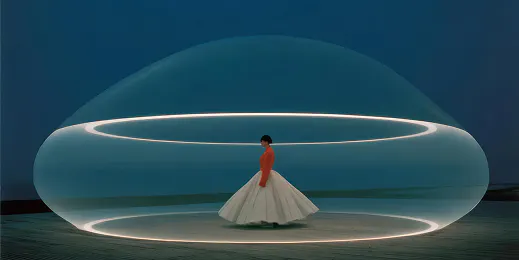
Perform instant virtual try-ons. Dress a model in new clothing references or place a product bottle into a luxury background without losing brand details like logos or textures.

Train the Kling Omni 1 model on your style using multiple reference images. Convert sketches to 3D renders, or turn realistic photos into anime, clay, or "Pixar-style" characters while maintaining recognizable features.
Kling O1 Image acts as an AI editor. Tell it exactly what to change, and it understands the difference between a style shift and a subject change.

Kling O1 Image is built for precise static image edits, using strong reference control to transform subjects, styles, and local details while keeping visuals consistent.
Reference multiple images to generate your perfect character from the front, side, back, or high-angle views, while retaining their exact identity and outfit details.
Edit without selecting pixels. Simply command the model to “Remove the passersby,” “Change the blue cup to red,” or “Make the flowerpot bloom.” The model preserves lighting and texture automatically.
Upload a style reference and a subject reference. Kling O1 Image deconstructs the brush strokes and lighting of the style image and applies it perfectly to your subject.
For fashion and retail: Upload a model and a garment. The model can realistically drape the clothing onto the person, respecting fabric physics, zippers, and patterns.
Become a Kling expert and learn how to stack prompts for complex scenes.
Kling O1 is a unified multimodal model (Omni). Unlike older models that treat text and image tasks separately, O1 processes them together. This allows for deep reasoning, such as understanding that a person in the start frame must be the same person in the end frame, or distinguishing between a style change and a physical object change. Kling OI Image also has Kling O1 Video.
The image-to-image model allows for up to 10 reference images. This is crucial for “High Feature Retention,” allowing you to feed the model various angles of a character or product to ensure it fully understands the 3D geometry and identity of your subject.
Yes. Kling O1 excels at "One-sentence editing." You do not need to mask areas manually. You can upload an image and type a prompt like "Change the table material to marble" or "Add a pair of glasses," and the model will execute the change while preserving the rest of the image.
Artlist offers a full lineup of Kling AI models inside the Artlist AI Toolkit, so you can choose the right model for every type of project. Available models include Kling 1.6 Pro and Kling 1.6 Standard, Kling 2.1 Pro, Kling 2.5 Turbo Pro, Kling 2.1 Master, Kling O1 Video, Kling 2.6 Pro, Kling 3.0, and Kling O3. New Kling releases are added as soon as they’re available — so you’re always creating with the latest and most advanced models.
Still have questions? We're here to help.

